
Linux Installation (Ubuntu 22.04+)
Prerequisites
- Ubuntu 22.04+ or Debian-based distribution
- Internet access for downloading Docker images (~5 GB)
- At least 8 GB RAM and 20 GB free disk space
# 1. Add the EasySafe repository
echo "deb [arch=amd64 trusted=yes] https://apt.easy-safe.eu stable main" | sudo tee /etc/apt/sources.list.d/easysafe.list
sudo apt update

# 2. Install (automatically installs Docker, TigerVNC, Git, GitHub CLI, Python3)
sudo apt install easysafe

# 3. Reboot (required for Docker group permissions)
reboot

# 4. Start (opens the EasySafe splash screen)
easysafe
Double-click the EasySafe Capella desktop icon or run easysafe in a terminal. The splash screen opens where you select your workspace and click Start. On first launch, Docker images are pulled automatically.
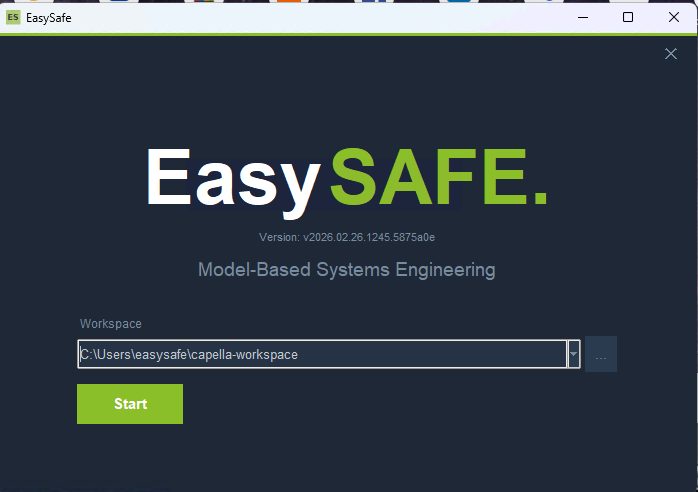
The EasySafe splash screen — select a workspace folder and click Start.
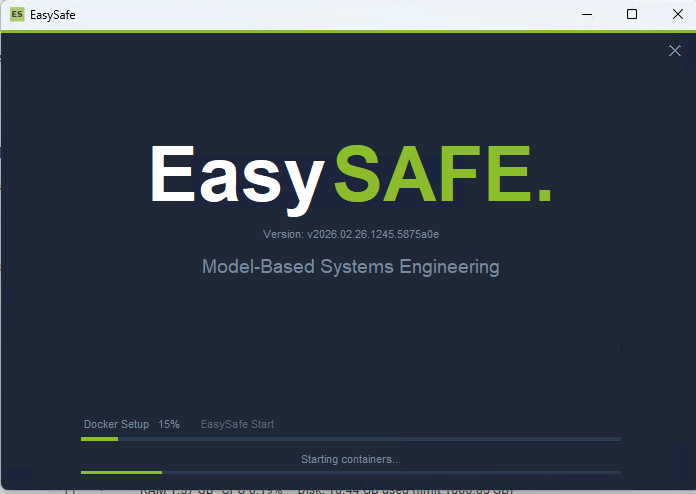
EasySafe starting up — Docker containers are being configured and launched.
Updating
Click Update in the splash screen — a terminal opens and runs sudo apt upgrade easysafe automatically. After the update, the splash restarts with the new version. You can also update manually:
sudo apt update && sudo apt upgrade easysafeUninstalling
sudo apt remove easysafe