
Other Linux Installation (Fedora, Arch, openSUSE, ...)
Prerequisites
- Docker must be installed — see docs.docker.com/engine/install
- Internet access for downloading Docker images (~5 GB)
- At least 8 GB RAM and 20 GB free disk space
Only Docker is required. No APT, no system packages.
# 1. Install Docker (if not already installed)
# See: https://docs.docker.com/engine/install/

# 2. Download and install EasySafe
curl -LO https://apt.easy-safe.eu/easysafe_amd64.tar.gz
mkdir -p easysafe && tar xzf easysafe_amd64.tar.gz -C easysafe
cd easysafe && ./install.sh

# 3. Reboot (required for Docker group permissions)
reboot

# 4. Start (opens the EasySafe splash screen)
easysafe
Double-click the EasySafe Capella desktop icon or run easysafe in a terminal. The splash screen opens where you select your workspace and click Start.
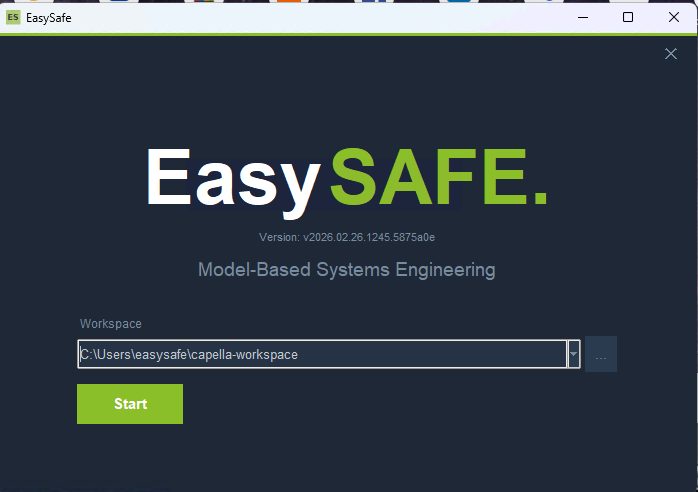
The EasySafe splash screen — select a workspace folder and click Start.
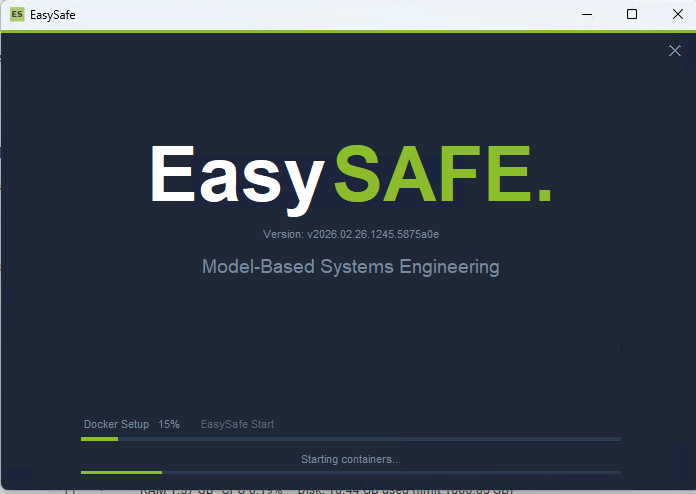
EasySafe starting up — Docker containers are being configured and launched.
Updating
Click Update in the splash screen — the latest tar.gz is downloaded and installed automatically. You can also update manually:
curl -LO https://apt.easy-safe.eu/easysafe_amd64.tar.gz
mkdir -p easysafe && tar xzf easysafe_amd64.tar.gz -C easysafe
cd easysafe && sudo ./install.sh
Uninstalling
cd easysafe && sudo ./uninstall.sh